CHOOSE YOUR WORKSPACE

Choose how you use FlightHours.

Pilot accounts manage personal flying records. Organisation workspaces manage club, ATO or DTO records. They remain separate.

01INDIVIDUAL PILOTS
Free plan available

Your personal pilot workspace.

Keep your logbook, training, qualifications, medicals, documents, costs and goals together in one private account.

Flight logbookUnlimited manual entries, import and exportTraining & goalsJourney progress and supporting evidenceDocuments & expiriesQualifications, medicals and remindersCosts & analyticsUnderstand flying activity and spend
02CLUBS · ATOS · DTOS
Organisation workspace

Your aviation organisation workspace.

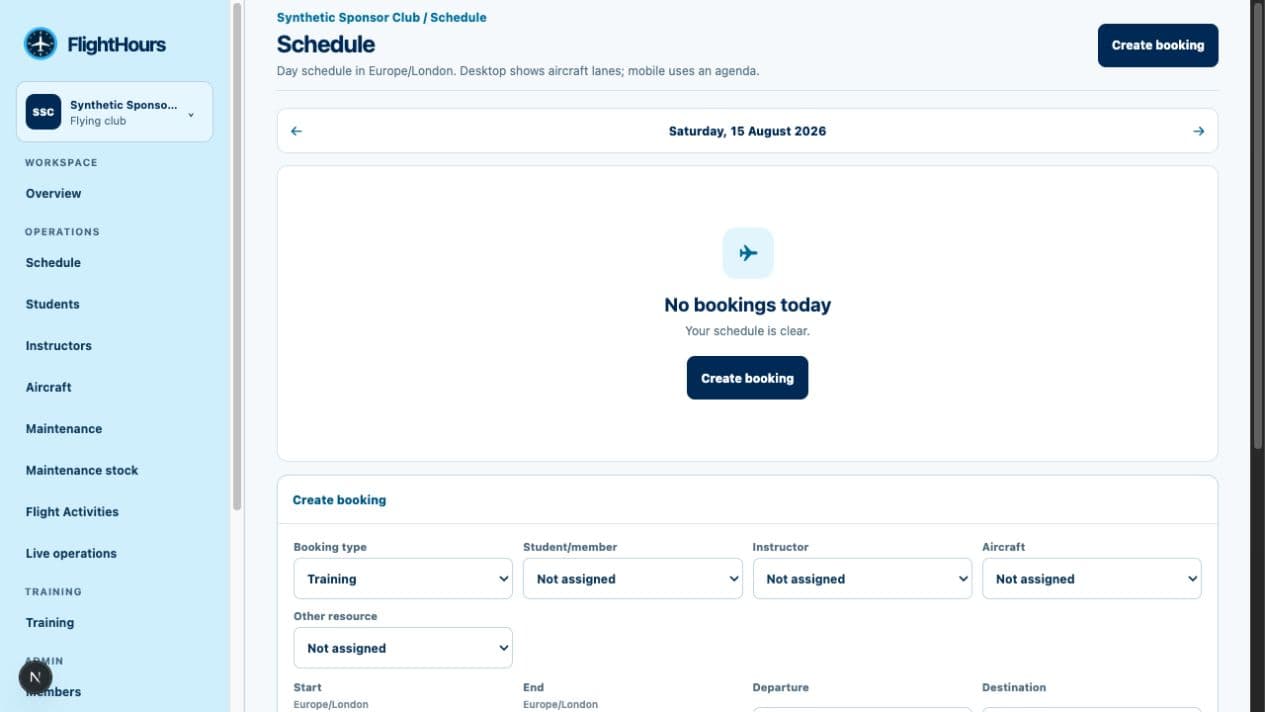
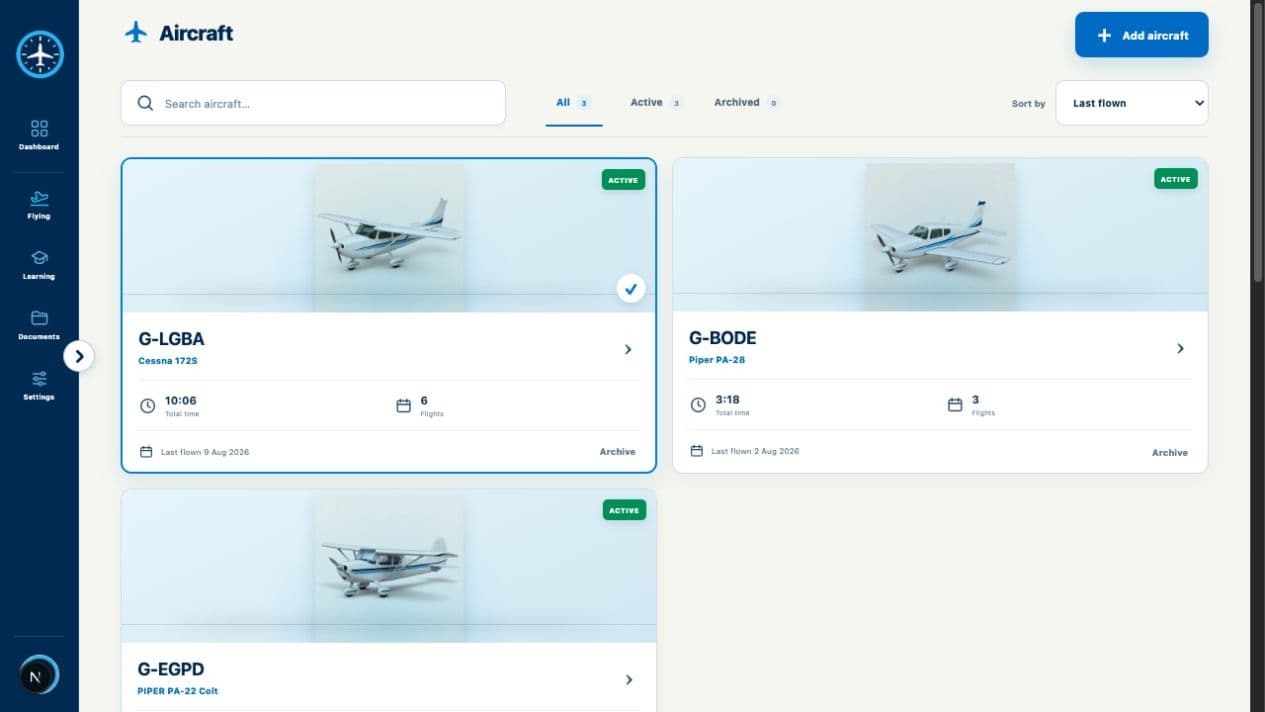
Manage organisation-owned member access, aircraft records, locations, documents, compliance details and portal branding.

Members & accessOrganisation roles and invitationsAircraft & locationsRegisters for your fleet and basesDocuments & complianceKeep organisation requirements visibleBranded member portalYour own sign-in experience
Personal records stay personal.

Joining an organisation does not give a club or school access to a pilot’s private logbook, documents, medical records or costs.

Read our privacy notice

THE TRAINING EXPERIENCE

From lesson brief to a clear next focus.

See the lesson, the linked flight and the debrief together. The record keeps your reflection, instructor feedback and supporting evidence easy to follow.

01 · BEFORE THE FLIGHTPrepare the lesson
Training / Lesson planPlanned
WEDNESDAY · 14 AUG09:30

LESSON 08

Navigation and diversion

AM
Alex MorganFlight instructor
Confirmed
01

Pre-flight planningWeather, NOTAMs and route decisions

Focus
02

Diversion techniqueHeading, timing and workload

03

Radio workloadClear calls while navigating

Briefing notes attachedOpen brief →
02 · AFTER THE FLIGHTRecord what happened
Training / Lesson recordRecorded
ROUTEEGKB → EGTK
AIRCRAFTG-LGBA
FLIGHT TIME01:25

EXERCISE REVIEW

Lesson record

Navigation accuracyRoute maintained with minor promptsGood
Diversion planningCorrect method; timing needs practiceDeveloping
Radio workloadLate call during the diversionReview
YOUR REFLECTION

I stayed ahead of the route until the diversion. I need a simpler flow before making the radio call.

Linked to flight and syllabusView evidence →
03 · AFTER THE DEBRIEFAgree what comes next
Training / DebriefPreview
AM
Alex MorganLesson 08 debrief
Instructor interaction
INSTRUCTOR · 12:18

Your diversion setup was accurate. Next time, make the radio call before recalculating the ETA so the workload stays manageable.

YOU · 12:24

I noticed I was trying to update everything at once. I’ll use the aviate, navigate, communicate order.

INSTRUCTOR · 12:31

Good. We’ll repeat one diversion early in the next lesson and keep radio workload as the main focus.

NEXT LESSON FOCUS
Radio workload during diversionAdded to plan
Product boundary

Personal lesson records and linked evidence are available in this build. Direct instructor messaging, shared lesson plans and signed attestations are shown as the intended collaboration experience and are not currently available.

THE PILOT WORKSPACE

Everything important. Properly connected.

Not another isolated logbook. Each area contributes to one coherent picture while preserving its own history and evidence.

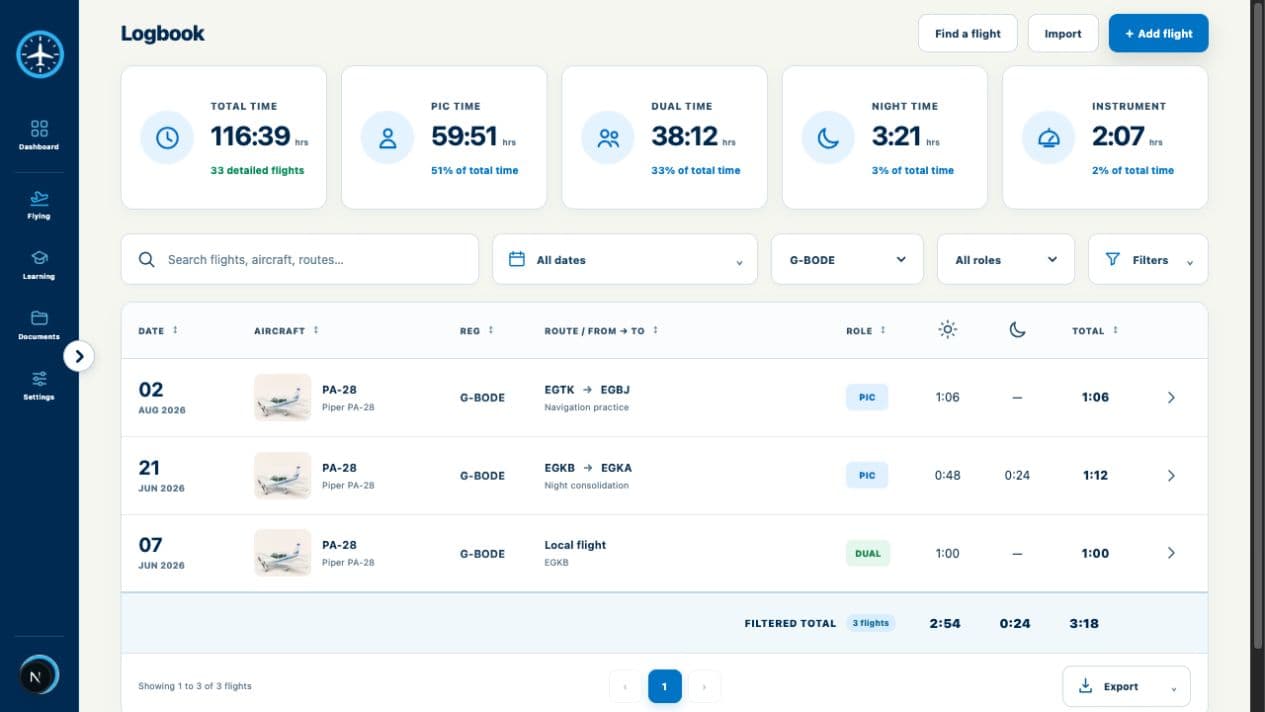
A logbook built for the detail

Professional fields, imports, saved views, revisions and filtered totals.

DATEROUTEAIRCRAFTTIME
08 AugEGKB → EGTKG-LGBA01:25
03 AugEGTK → EGKBG-NWFC01:10
29 JulEGKA → EGMDG-BSEP00:55

My Journey

Goals, requirements and evidence with transparent confidence.

68% evidenced
Example planning pathway

Compliance wallet

Qualifications, medicals and private files with expiry states that mean what they say.

Class 2 MedicalCurrent · expires 18 May 2027
!SEP ratingDue in 64 days
£

Costs with context

Track actuals, plan scenarios and keep estimates clearly labelled.

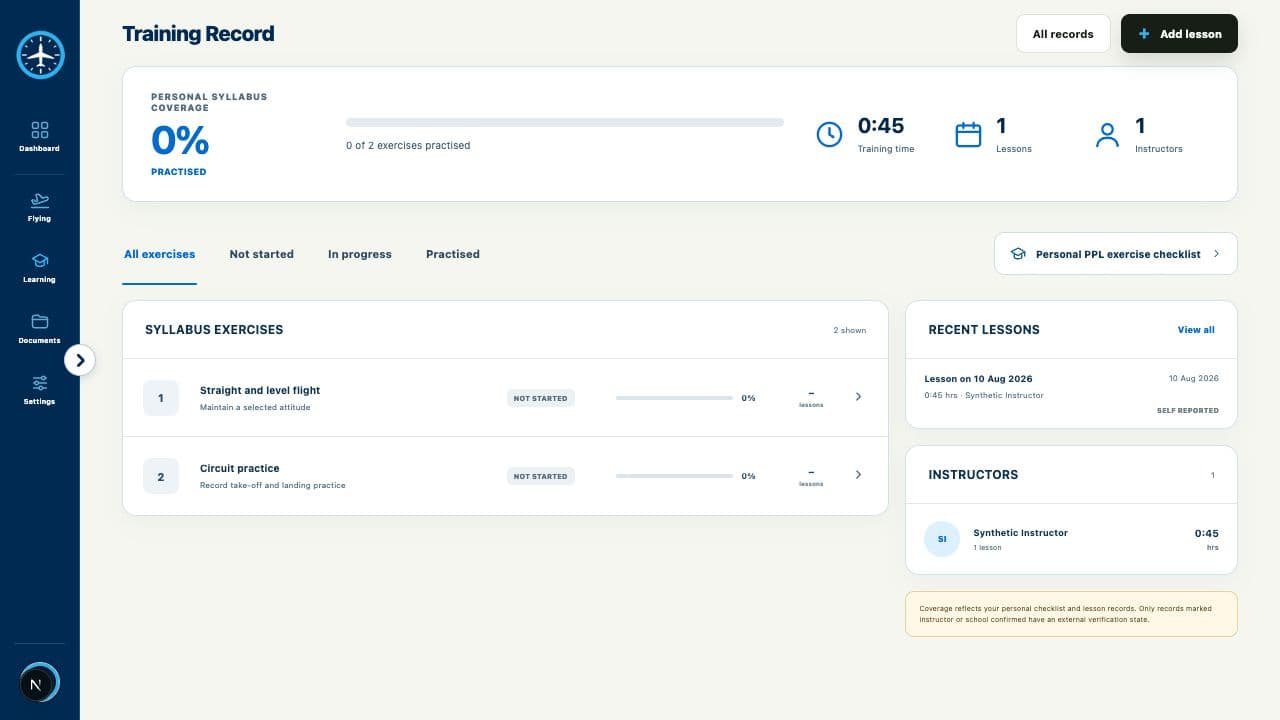
Training, theory & experience

Personal training records, syllabus progress, theory attempts and qualifying-flight candidates in one view.

  • Circuits and landings Complete
  • Navigation exercise Complete
  • · Qualifying cross-country Review

THE COMPLETE WORKSPACE

More than the highlights.

FlightHours connects the records a pilot or aviation organisation needs without blurring ownership, evidence or regulatory responsibility.

01

Logbook & aircraft

  • Detailed flight roles, conditions, approaches and landings
  • Aircraft and airport reference search
  • Attachments, duplicate warnings and validation
  • Revision history with reasons for corrections
02

Import, totals & export

  • Staged CSV mapping and issue review
  • Opening balances for earlier flying
  • Filtered totals with contributing records
  • Portable CSV and full-account exports
03

Journey & goals

  • Goal stages, dependencies and progress
  • Included and rejected evidence with reasons
  • Visible uncertainty and missing information
  • Ranked next actions on the Pilot plan
04

Training & theory

  • Personal lesson and syllabus records
  • Hour-building and budget planning
  • Qualifying-flight candidate review
  • Theory bookings, attempts and evidence
05

Documents & expiries

  • Private document wallet and file versions
  • Qualifications, ratings and limitations
  • Consent-controlled medical records
  • Expiry timeline and in-app reminders
06

Costs & analytics

  • Costs linked to flights and training
  • Actual and estimated values kept distinct
  • Budget scenarios and planning assumptions
  • Flying and training trend analysis
07

Privacy & resilience

  • Pilot-owned records stay private by default
  • Account export, deletion and session controls
  • Recent offline reads and resilient flight drafts
  • Source history preserved for important changes
08

Clubs, ATOs & DTOs

  • Member roles and organisation-only access
  • Aircraft register, bases and buildings
  • Organisation documents and compliance overview
  • Branded member portal; booking is planned
Clear product boundary.Aircraft booking, dispatch, maintenance control, instructor signatures and active course delivery are not currently available. FlightHours does not present planning output as regulatory approval.

BUILT FOR TRUSTWORTHY RECORDS

We would rather show “unknown” than make up an answer.

Aviation records deserve better than a glossy progress bar built on assumptions. FlightHours keeps uncertainty visible and makes the path back to the source easy.

How FlightHours handles your data →
01

Original records stay intact

Changes create history. Imports and rule updates do not silently rewrite what you entered.

02

Every number has a way back

Totals and journey results can show the records, versions, exclusions and confidence behind them.

03

Advice has a clear boundary

Planning output never pretends to replace an instructor, examiner, medical professional or regulator.

A USEFUL FREE PLAN—BY DESIGN

Your logbook is not a trial.

Keep logging flights, reviewing core totals and exporting your records on Free. Pilot adds deeper journey evidence, next-best actions, theory, planning and advanced analytics.

FLIGHTHOURS FREE£0No card required
  • Unlimited manual flight entries
  • CSV import and portable export
  • Core totals and one active goal
  • Documents, qualifications and medicals

COMMON QUESTIONS

Clear before you commit.

Can I use FlightHours as my official logbook?

FlightHours is designed for detailed record keeping and portable exports, but it does not claim regulator approval or universal legal acceptance. Keep original records and confirm requirements with the relevant authority.

What happens to my flights if I stop paying?

Your core personal logbook remains visible and exportable. A subscription changes access to premium planning and analysis—it does not delete or hide your flight history.

Can I bring in an existing logbook?

Yes. The staged CSV importer lets you map columns, preview validation issues, resolve likely duplicates and download a report after commit.

Does FlightHours tell me whether I legally qualify?

No. It organises the evidence you entered, highlights gaps and supports planning. Final decisions belong with your instructor, ATO or DTO, examiner, medical professional and regulator.

READY WHEN YOUR NEXT FLIGHT IS

Make every hour count twice.

Once in your logbook. Again in the bigger picture.

Start your free logbook